Programming Mitsubishi Robots in MELFA
Precise Control of Mitsubishi Robots
Advanced Programming in MELFA Basic
Process Optimization in Automation
Effective integration of Mitsubishi robots
Flexible solutions for industry
Modern Programming Technologies
The Melfa Basic language enables precise control of Mitsubishi robots, providing high performance and programming flexibility. NexaRob offers comprehensive support for the configuration, optimization, and integration of systems based on Melfa Basic, adapting them to specific production requirements.
Contact us Watch the videoDiscover the Key Advantages and Capabilities of MELFA Basic, the Foundation of Mitsubishi Robot Control
Programming Mitsubishi Industrial Robots in MELFA Basic
MELFA Basic is a dedicated programming language for Mitsubishi industrial robots. Its clear syntax and flexible structure enable precise motion control and easy integration with other automation systems. At NexaRob, we use MELFA Basic to create solutions precisely tailored to production tasks, from simple pick & place operations to advanced assembly and machine tending processes.
Why MELFA Basic?
- Clear, procedural format: Facilitates rapid implementation even for teams just beginning to program robots.
- Extensive Motion Instructions: MELFA Basic supports both point-to-point (PTP) movements and more complex trajectories, making it suitable for many industries.
- Integration with Mitsubishi Systems: Works very well with other automation solutions from the same brand, providing a consistent control environment.
How Can NexaRob Help?
- Needs analysis and consultations: Together with the customer, we define goals and requirements to propose the most advantageous hardware and software solutions.
- Code Creation and Optimization: From writing applications in MELFA Basic and offline testing to fine-tuning at the production workstation, we provide comprehensive support.
- Operator Training: We help teams master the basics of MELFA Basic, enabling them to make minor corrections independently and respond quickly to process changes.
See What Distinguishes MELFA Basic and the Tasks in Which Mitsubishi Robots Achieve the Highest Efficiency
Key Functions and Application Examples in MELFA Basic
Although every robotics language serves similar purposes, controlling motion and logic, MELFA Basic offers unique features that support efficient and safe operation of Mitsubishi robots. Below we present the most important aspects and examples of industries where these robots are particularly applicable:
Precise Motion Control
Using point-to-point (PTP), linear (LIN) and circular (CIRC) motion commands, programmers can flexibly adapt trajectories to production requirements.
Application: Electronics assembly where component placement accuracy is important; machine tending requiring precise part feeding.
Modular Code Structure
The program can be divided into modules and procedures, making code management and changes easier.
Application: Production lines with multiple stations, such as packaging, code scanning, and quality control, where each module handles a different stage of the process.
Easy Integration with Mitsubishi Automation
MELFA Basic integrates smoothly with Mitsubishi PLC and HMI controllers, enabling shared data exchange and a unified automation environment.
Application: Facilities dominated by solutions from the Mitsubishi Electric ecosystem, for example CNC machine tending or assembly lines.
Safety and equipment protection
Ability to define emergency procedures (Emergency Stop) and set force and movement-speed limits.
Application: Industries with stringent occupational health and safety requirements (chemical, food), where reliability and safety are crucial.
Versatile Industries and Processes
Mitsubishi robots programmed in MELFA Basic are used in many sectors, from automotive to the manufacture of medical products
.
Application: Handling delicate components, welding lightweight parts, and assembly in sterile conditions.
MELFA Basic provides robots with Mitsubishi a flexible and intuitive environment for creating complex applications. NexaRob helps fully utilize these capabilities, from design and coding through testing to implementation and maintenance. As a result, your production line can achieve a higher level of automation and safety while reducing operating costs.
Explore Different Ways to Create Code for Mitsubishi Robots and Choose the Solution Best Suited to Your Process
Main Programming Modes and Methods in MELFA Basic
Online, Offline, Freedrive, and More
Programming Mitsubishi robots in MELFA Basic can be performed in several ways, from quickly creating code directly on the robot panel to advanced simulation tools operating outside the production environment. At NexaRob, we help select the right method for your needs and your team's capabilities so the entire code development and implementation process is fast, safe, and flexible. The main modes are presented below:
Teach Pendant (Online Programming)
- Direct control: The operator uses a Mitsubishi teach pendant to define the trajectory point by point and save sequences in MELFA Basic code.
- Quick Corrections on the Line: Ideal where small changes are required on the fly without prolonged process stoppages.
- Limitations: With complex operations, for example a large number of points or advanced algorithms, it can be more time-consuming and require greater care.
Offline Programming (Simulation Environment)
- Working on a computer: MELFA Basic code and motion trajectories are created in simulation software, such as RT ToolBox, before they are transferred to the actual production line.
- Time savings: The production line can keep running while engineers develop a new version of the code away from the shop floor. Uploading the finished program reduces downtime.
- Application: Large projects in which any error in robot movement could be costly or require lengthy corrections.
Remote Online Programming, Network-Based Control
- Remote access: If the network infrastructure is securely configured, the NexaRob team or your specialists can modify the code remotely.
- Expert support: Enables an immediate response to unusual errors or the need to optimize parameters without being physically present at the machine.
Hybrid Approach
- Combining methods: The process usually starts with the Teach Pendant to set base points, while the remaining sequence is optimized offline.
- Gradual improvement: Code written once can be improved by testing different variants in a simulator and then applying final adjustments online on the actual robot.
Programming methods in MELFA Basic are diverse. Several approaches are often combined and adapted to specific tasks and production dynamics. This flexibility can shorten implementation time while maintaining high precision and safety. In the following sections, we will show how integration with vision systems and sensors enables Mitsubishi robots to be even more "intelligent" and better adapted to your processes.
Learn how Mitsubishi robots can use cameras and sensors to respond flexibly to changing production-line conditions
Integration with Vision Systems and Sensors in MELFA Basic
Mitsubishi robots programmed in MELFA Basic are not limited to simply repeating predefined sequences. By working with vision systems and force and torque sensors, they can dynamically adjust movement parameters, respond to unexpected obstacles, and maintain high precision under changing conditions.
Vision Systems
- Protocols and libraries: MELFA Basic supports communication functions with 2D and 3D cameras, allowing the robot to continuously correct its motion trajectory based on images from the surroundings.
- Application: Pick-and-place tasks with chaotically arranged parts, visual quality inspection or sorting goods by shape or size.
Force and Torque Sensor Handling
- Precision Assembly: In applications where a component must be fitted gently, the robot can limit force and speed based on sensor data.
- Collision Response: When the defined torque on an axis is exceeded, MELFA Basic can immediately stop motion and display an alert, protecting equipment and operators.
Additional Axes and Peripherals
- Expansion of workstations: The robot can control additional axes, such as rotary tables and positioners, increasing the reach and kinematic capabilities of the entire system.
- Unified platform: MELFA Basic helps maintain a consistent control environment, especially in facilities dominated by Mitsubishi automation.
Application Examples
Food Industry
Sorting products of different sizes or sensitive packaging, where a camera helps locate and grip goods appropriately.
Electronics
Microchip assembly or quality tests where even minimal deviation could cause device malfunctions.
Logistics and Warehousing
The robot receives and places parcels based on data from a vision system that identifies barcodes or parcel size.
MELFA Basic Code Integration with vision systems and force sensors enables rMitsubishi robots work intelligently and in a way fully adapted to current conditions. NexaRob supports customers throughout the entire implementation path, from selecting the right vision devices through writing and testing code to training, enabling your company to achieve a higher level of automation and operational efficiency.
See how MELFA Basic code improved key stages in the assembly of delicate electronic components
Case Study: Using MELFA Basic in Precision Electronics Assembly
Below is an example implementation in the electronics industry where Mitsubishi robots controlled with MELFA Basic helped improve assembly precision and speed. With delicate components, accuracy matters, but so does skillful management of force and movement speed.
Context and Key Challenges
- Complex assembly processes: Many stages of assembling different subassemblies required meticulous precision and coordination.
- Low Tolerance for Errors: Even small deviations in component positioning could cause malfunction or require rework.
- Dynamic production: Frequent changes of product model or variant required rapid switching between motion sequences.
Solutions in MELFA Basic Code
Assembly Modules with Force Control
Individual activities, such as applying seals or soldering small pins, were divided into separate procedures in MELFA Basic. This gave each operation its own force and speed parameters, effectively protecting components from damage.
Integration with a Vision System
The camera verified the correct position of small parts and sent correction coordinates to the robot. MELFA Basic code continuously recalculated the motion offset, preventing incorrect assembly when a component was slightly displaced.
Dynamic adaptation to new product ranges
It was enough to add another set of parameters, such as soldering point positions and maximum contact force, to the existing procedures. Instead of rewriting the entire code, operators entered only the differences in configuration files, significantly reducing line changeover time.
Results and Benefits
- Fewer Defective Modules: Precise force control and visual verification reduced the percentage of damaged components in the assembly process.
- Increased Productivity: A smoother motion sequence and faster changeover to a new device variant improved the throughput of the entire line.
- Space Savings: The clever movements and compact design of Mitsubishi robots made it possible to use limited workstation space efficiently.
This example demonstrates that MELFA Basic performs very well in complex operations with low tolerance for error. NexaRob covered the entire project with support, from initial analysis and code development through commissioning and staff training, resulting in significant improvement of the assembly process and lower costs.
How Can High Efficiency and Reliability of Mitsubishi Robots Be Maintained Without Compromising Required Occupational Safety and Quality Standards?
Code Optimization and Safety Procedures in MELFA Basic
After deploying MELFA Basic code, its operation should be continuously monitored and adjustments introduced to improve performance and workplace safety. NexaRob recommends a set of practices that support optimal operation of Mitsubishi robots:
Cycle Time and Trajectory Analysis
- Monitoring Statistics: The robot can report the number of cycles, the duration of individual operations, or the number of errors, making it easier to identify bottlenecks.
- Path optimization: Small reductions in movement distances and speed adjustments can significantly shorten cycle time while maintaining full safety.
Code Structure and Refactoring
- Modularity: Removing repeated sections by creating shared functions reduces the risk of errors appearing in multiple parts of the code.
- Clear Naming: Consistent and descriptive names for variables and procedures, such as pPickOffset and nMaxForce, accelerate project collaboration and make debugging easier.
Safety procedures and emergency systems
- Stop Conditions: MELFA Basic can respond to unexpected resistance or a collision by stopping movement immediately and activating a warning signal.
- Regular testing: We recommend periodically checking protective barriers and safety sensors and updating code to reflect new occupational safety regulations and standards.
Updates and extensions
- New firmware versions: Mitsubishi may provide fixes or additional functions. It is worth assessing whether an update will bring real benefits to your application.
- Workstation Expansion: If production demand grows, MELFA Basic makes it easy to integrate new devices, such as an additional gripper or rotary axis, with minimal changes to the existing code.
Code optimization and attention to safety procedures are key to long-term, failure-free operation Mitsubishi robots. NexaRob provides support for modernization, debugging, and regular inspections, allowing your company to benefit from automation based on MELFA Basic, while meeting the highest safety and quality requirements.
Clear up your questions about creating and maintaining applications in MELFA Basic and learn about our support model
Frequently Asked Questions
Below we answer frequently asked questions about programming Mitsubishi robots in MELFA Basic. If you do not find an explanation that fits your situation, contact NexaRob. We will be happy to discuss your needs and propose solutions tailored to your production profile.
They are popular in electronics for precision assembly, in food production for packaging and sorting, and generally in tasks requiring speed and accuracy. Their versatility also makes them suitable for the automotive industry and CNC machine tending.
Yes. Simulation software (e.g. RT ToolBox) enables MELFA Basic code to be prepared and initially verified away from the production line, significantly reducing downtime and implementation errors.
MELFA Basic supports communication with cameras, including 2D and 3D systems, as well as control of rotary axes or tables. The code can include dynamic motion corrections if a sensor or camera detects a deviation in the position of parts.
Although standard models are industrial robots that usually require fencing, there are also series designed for human collaboration, known as cobots. In addition, appropriate programming and the addition of safety systems, such as scanners and light curtains, can adapt a workstation to occupational safety requirements.
It depends on the pace of changes in production. If the process is stable, updates are infrequent. In a dynamic environment where new products appear often, code changes may be introduced regularly. Modular application development makes adaptation to new tasks easier.
We work with a broad network of suppliers, including Mitsubishi. We provide support in selecting the optimal robot model, configuring the system, writing MELFA Basic code and providing long-term service support.
Most control logic (e.g. part manipulation procedures) behaves similarly, but differences in reach and specifications of individual models must be taken into account. NexaRob assists with code migration and adapting parameters to new equipment.
Contact us by email or phone. NexaRob will be happy to analyze your process, advise on equipment selection, write and optimize MELFA Basic code and train personnel.

Do you have more questions?
Contact NexaRob. Our specialists provide comprehensive support for Mitsubishi robotics, from design and configuration through creation and optimization of MELFA Basic applications to training and service support. Together, we can improve your production and reduce costs using modern and flexible automation solutions.
Automate Your Business with NexaRob - Contact Us!
Interesting Facts from Around the World
How do language-vision models teach robots to predict human intentions in realistic environments?
The new HINT-Plan method enables robots in realistic environments to predict human intentions based on images.
A new imitation learning method with language and visual context significantly improves the effectiveness of robotic disassembly.
A new imitation learning method for robotic disassembly, based on language and visual context, has improved efficiency.
Over 40 companies in the autonomous driving industry have ceased operations over the past seven years.
Over the past seven years, since 2019, more than 40 companies operating in the autonomous driving industry
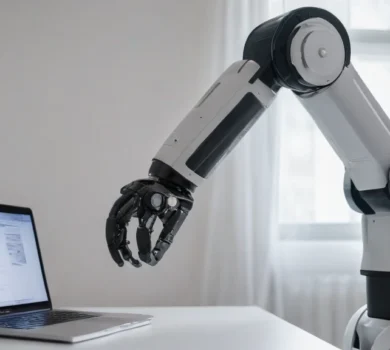
New mixed reality interface facilitates teleoperation of underwater robotic arms.
A study conducted by teams from Japan has shown that an interface based on mixed reality (MR-GLi) significantly improves…
Teradyne Robotics appoints new chief commercial officer
The new leader will be responsible for the global commercial strategy for both the Universal Robots brand and