Programming Mitsubishi Robots in Melfa Language
Precise control of Mitsubishi robots
Advanced programming in Melfa Basic
Process optimization in automation
Effective integration of Mitsubishi robots
Flexible Solutions for Industry
Modern programming technologies
The Melfa Basic language enables precise control of Mitsubishi robots, ensuring high performance and flexible programming. NexaRob offers comprehensive support in the configuration, optimization, and integration of systems based on Melfa Basic, adapting them to specific production requirements.
Contact us Watch the videoDiscover the key advantages and capabilities of the MELFA Basic language, which forms the foundation for controlling Mitsubishi robots.
Programming Industrial Mitsubishi Robots in MELFA Basic Language
MELFA Basic is a dedicated programming language for industrial robots from Mitsubishi. Thanks to its clear syntax and flexible structure, it allows for precise motion control and easy integration with other automation systems. At NexaRob, we use MELFA Basic to create solutions perfectly tailored to production tasks - from simple pick & place operations to advanced assembly and machine handling processes.
Why MELFA Basic?
- Clear, procedural form: Facilitates rapid implementation even for teams that are just starting their journey with robot programming.
- Rich motion instructions: MELFA Basic supports both point-to-point (PTP) movements and more complex trajectories, making it suitable for many industries.
- Integration with Mitsubishi systems: It works perfectly with other automation solutions from the same brand, ensuring a consistent control environment.
How can NexaRob help?
- Needs analysis and consultations: Together with the client, we define goals and requirements in order to propose the most advantageous hardware and software solutions.
- Code creation and optimization: From writing applications in MELFA Basic, through offline testing, to fine-tuning at the production station - we provide comprehensive support.
- Operator training: We help teams master the basics of MELFA Basic, which enables them to independently introduce minor corrections and quickly respond to process changes.
See what distinguishes MELFA Basic and in what tasks Mitsubishi robots achieve the highest efficiency.
Key Features and Application Examples in MELFA Basic.
Although each robotic language serves similar purposes - controlling movement and logic - MELFA Basic offers unique features that facilitate efficient and safe operation of Mitsubishi robots. Below, we present the most important aspects and examples of industries where these robots find particular application:
Precise motion control.
Thanks to point-to-point (PTP), linear (LIN) and arc (CIRC) motion commands, the programmer can flexibly adjust the trajectory to production requirements.
Application: Electronics assembly, where accurate placement of components is essential; operation of machines requiring precise feeding of parts.
Modular code structure
The program can be divided into modules and procedures, making it easier to manage code and introduce changes.
Application: Production lines with multiple stations (e.g., packaging, barcode scanning, quality control), in which each module handles a different stage of the process.
Easy integration with Mitsubishi automation.
MELFA Basic seamlessly works with Mitsubishi PLC and HMI controllers, enabling joint data exchange and a uniform automation environment.
Application: Plants where solutions from the Mitsubishi Electric ecosystem dominate (e.g., CNC machine operation or assembly lines).
Safety and equipment protection.
The ability to define emergency procedures (Emergency Stop) and set force and speed limits for movement.
Application: Industries with high health and safety requirements (chemical, food) where reliability and safety are critical.
Versatile industries and processes
Mitsubishi robots with MELFA Basic are used in many sectors, from automotive to medical device manufacturing.
.
Application: Handling delicate components, welding light elements, assembly in sterile conditions.
MELFA Basic provides robots Mitsubishi with a flexible and intuitive environment for creating complex applications. NexaRob helps to fully utilize these capabilities, from the design and coding stage, through testing, to implementation and maintenance. As a result, your production line can achieve a higher level of automation and safety while reducing operating costs.
Discover the various ways to create code for Mitsubishi robots and choose the solution that best suits your process.
Main Modes and Programming Methods in MELFA Basic
Online, Offline, Freedrive, and More
Programming Mitsubishi robots in the MELFA Basic language can be done in several ways - from quickly creating code directly on the robot panel, to advanced simulation tools operating outside the production environment. At NexaRob, we help you choose the right method for your needs and team skills, so that the entire process of writing and implementing code is fast, safe and flexible. Below are the main modes:
Teach Pendant (Online Programming)
- Direct control: The operator uses the Mitsubishi operator panel to define the trajectory point by point and save sequences in MELFA Basic code.
- Quick adjustments on the line: Ideal for situations where minor changes are needed "on the fly" without stopping the process for too long.
- Limitations: For complex operations (e.g., a large number of points or advanced algorithms), it may be more time-consuming and require caution.
Offline Programming (Simulation Environment)
- Working on a computer: MELFA Basic code and motion trajectories are created in simulation software (e.g., RT ToolBox) before they are transferred to the actual production line.
- Time saving: A production line can operate while engineers develop a new version of the code off-site. Uploading the finished program reduces downtime.
- Application: Large projects where any mistake in robot movements could be costly or require lengthy corrections.
Online Remote Programming (Network Control)
- Remote access: If the network infrastructure is securely configured, the NexaRob team or your specialists can modify the code remotely.
- Expert support: This allows for a quick response in case of unusual errors or the need to optimize parameters without physical presence at the machine.
Hybrid Approach
- Combining methods: It usually starts with the Teach Pendant to set the basic points, and the rest of the sequence is optimized offline.
- Gradual improvement: Once written, the code can be improved by testing different variants in a simulator, and the final corrections can be made online on the actual robot.
Programming methods in MELFA Basic are diverse - often combining several approaches, adapting them to specific tasks and production dynamics. This flexibility allows for shorter implementation times while ensuring high precision and safety. In the following sections, we will show how integration with vision systems and sensors enables Mitsubishi robots to be even more "intelligent" and adapted to your processes.
Learn how Mitsubishi robots can use cameras and sensors to flexibly respond to changing conditions on the production line.
Integration with Vision Systems and Sensors in MELFA Basic
Mitsubishi robots, programmed in the MELFA Basic language, are not limited to simply playing back pre-defined sequences. Thanks to cooperation with vision systems and force/moment sensors, they can dynamically adjust motion parameters, react to unforeseen obstacles, and maintain high precision in changing conditions.
Vision Systems
- Protocols and libraries: MELFA Basic supports communication functions with 2D and 3D cameras, allowing the robot to continuously correct its trajectory based on images from the environment.
- Application: Pick & place tasks with a chaotic arrangement of parts, visual quality control, or sorting goods by shape or size.
Force/Moment Sensor Support
- Precise assembly: In applications where an element needs to be gently adjusted, the robot can limit force and speed based on sensor data.
- Collision reaction: After exceeding a set torque on the axis, MELFA Basic can immediately stop the movement and display an alert, protecting equipment and operators.
Additional Axes and Peripherals
- Workstation expansion: The robot can control additional axes (e.g., rotary tables, positioners), which increases the range and kinematic capabilities of the entire system.
- Unified platform: MELFA Basic allows maintaining consistency in the control environment, especially in plants where Mitsubishi automation is dominant.
Application examples
Food industry
Sorting products of different sizes or delicate packaging, where a camera helps locate and properly grip the goods.
Electronics
Assembly of microcircuits or quality tests, where even slight deviations could cause errors in device operation.
Logistics and warehousing
The robot picks up and places packages according to data from a vision system that identifies barcodes or package size.
Integration of MELFA Basic code with vision systems and force sensors enablesMitsubishi robots to work intelligently and fully adapt to current conditions. NexaRob supports customers throughout the implementation process: from selecting appropriate vision devices, through writing and testing code, to training, so that your company can achieve a higher level of automation and operational efficiency.
See how the code in MELFA Basic has improved key stages of assembling delicate electronic components.
Case Study: Application of MELFA Basic in Precision Electronics Assembly
Below is an example implementation in the electronics industry, where Mitsubishi robots - controlled by the MELFA Basic language - helped improve the precision and speed of assembly. With delicate elements, it is not only accuracy that counts, but also skillful management of force and movement speed.
Context and Main Challenges
- Complex assembly processes: Many stages of assembling various components required meticulous precision and coordination.
- Low tolerance for errors: Even small deviations in the positioning of elements could cause faulty operation or the need for rework.
- Dynamic production: Frequent changes in product model or variant required quick switching between motion sequences.
Solutions in MELFA Basic Code
Assembly modules with force control
Individual operations (e.g., applying seals, soldering small pins) have been separated into distinct procedures in MELFA Basic. This ensures that each operation has its own force and speed parameters, which effectively protects the components from damage.
Integration with the vision system
The camera verified the correct positioning of small details and transmitted correction coordinates to the robot. The MELFA Basic code continuously recalculated the motion offset, preventing incorrect assembly in case of slight component misalignment.
Dynamic adaptation to new product range
All that was needed was to add another set of parameters (e.g., soldering point positions, maximum pressing force) to the existing procedures. Instead of rewriting the entire code, operators simply entered the differences in the configuration files, which significantly reduced the line changeover time.
Effects and Benefits
- Reduced number of defective modules: Precise force control and visual verification have reduced the percentage of damaged components in the assembly process.
- Increased productivity: A smoother sequence of movements and faster changeover to a new device variant improved the pace of the entire line.
- Space saving: Thanks to clever movements and the compact design of Mitsubishi robots, it was possible to effectively utilize the limited workspace.
This example proves that MELFA Basic it works great for complex operations with low error tolerance. NexaRob covered the entire project with support - from initial analysis and code writing, to implementation and staff training, which resulted in a significant improvement in the assembly process and cost reduction.
How to maintain high efficiency and reliability of Mitsubishi robots without sacrificing required health and safety standards and quality?
Optimization of Codes and Safety Procedures in MELFA Basic
After implementing the MELFA Basic code, it is worth constantly monitoring its operation and introducing corrections that will improve performance and work safety. NexaRob recommends a set of practices to ensure optimal operation of Mitsubishi robots:
Cycle time and trajectory analysis
- Monitoring statistics: The robot can report the number of cycles, the duration of individual operations or the number of errors, which facilitates the detection of "bottlenecks".
- Path optimization: Small shortcuts in movements and speed adjustments can significantly reduce cycle time while maintaining full safety.
Code structure and refactoring
- Modularity: Removing duplicate code fragments by creating common functions reduces the risk of errors appearing in multiple parts of the code.
- Clear naming: Consistent and descriptive names for variables and procedures (e.g., pPickOffset, nMaxForce) speed up collaboration on the project and facilitate debugging.
Safety procedures and emergency systems
- Stop conditions: MELFA Basic can react to unexpected resistance or collisions by immediately stopping movement and activating a warning signal.
- Regular tests: We recommend periodically checking the safety barrier, safety sensors, and updating the code for new regulations and health and safety standards.
Updates and extensions
- New firmware versions: Mitsubishi may provide patches or additional features - it is worth assessing whether an update will bring real benefits to your application.
- Workstation expansion: If production demand increases, MELFA Basic allows you to easily integrate new devices (e.g., another gripper or rotary axis) with minimal intervention in the existing code.
Code optimization and attention to safety procedures are key to long-term, trouble-free operation of Mitsubishi robots. NexaRob offers support for modernization, debugging and regular inspections, which allows your company to benefit from automation based on MELFA Basic, while meeting the highest safety and quality requirements.
Dispel your doubts about creating and maintaining applications in MELFA Basic, and learn about our support model
Frequently Asked Questions
Below, we answer frequently asked questions about programming Mitsubishi robots in the MELFA Basic language. If you cannot find explanations that apply to your case, please contact NexaRob - we will be happy to discuss your needs and propose solutions tailored to your production profile.
They are popular in the electronics sector (precision assembly), food industry (packaging, sorting) and generally in tasks requiring speed and precision. Their versatility also makes them suitable for the automotive industry or for operating CNC machines.
Yes. Simulation software (e.g., RT ToolBox) allows you to prepare and pre-verify MELFA Basic code outside the production line, which significantly reduces downtime and errors during implementation.
MELFA Basic supports communication with cameras (2D/3D) and control of rotary axes or tables. The code can provide for dynamic motion corrections if a sensor or camera detects a deviation in the position of parts.
Although standard models are industrial robots that usually require fencing, there are also series with the option of collaborating with humans (so-called cobots). In addition, appropriate programming and the addition of safety systems (e.g., scanners, light curtains) allow you to adapt the workstation to occupational health and safety requirements.
It depends on the rate of change in production. If the process is stable, updates are rare. In a dynamic environment where new products appear frequently, changes to the code may be made regularly. Modular application development makes it easier to adapt to new tasks.
We collaborate with a wide network of suppliers, including Mitsubishi. We offer support in selecting the optimal robot model, system configuration, writing MELFA Basic code, and long-term service.
Most of the control logic (e.g., procedures for manipulating parts) behaves similarly, but it is necessary to take into account the differences in range and specifications of individual models. NexaRob helps with code migration and adapting parameters to new hardware.
We invite you to contact us by email or phone. NexaRob will gladly analyze your process, advise on equipment selection, write and optimize MELFA Basic code, and train personnel.

Do you have more questions?
Contact NexaRob - our specialists offer comprehensive support in the field of Mitsubishi robotics, starting from design and configuration, through creating and optimizing applications in MELFA Basic, to training and service support. Together we can improve your production and reduce costs by using modern and flexible automation solutions.
Automate Your Business with NexaRob - Contact Us!
Interesting facts from around the world
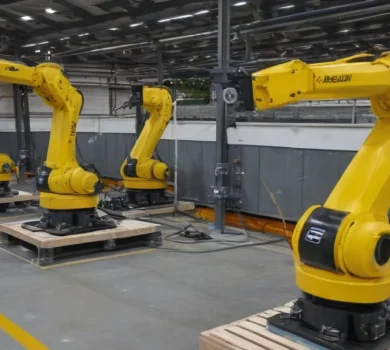
Complete traceability in production thanks to robots and system integration.
Atmus Filtration has implemented a modern robotic system for assembly and inspection, which ensures full product traceability.
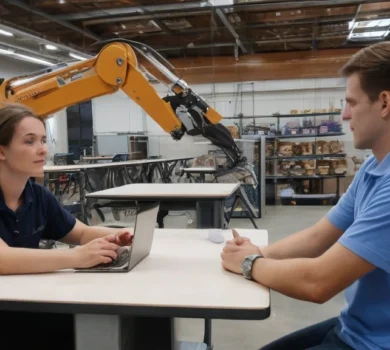
AGCO tests humanoid robot in production in Hesston, Kansas
AGCO and Agility Robotics will launch a pilot program featuring the Digit® humanoid robot at their manufacturing facility in Hesston.
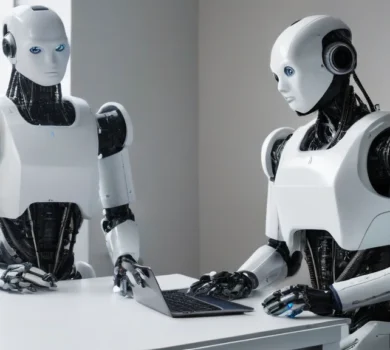
How does the new diffusion model change the approach to autonomous driving?
The new QualiDrive model introduces an innovative approach to trajectory generation in autonomous vehicle guidance - instead of
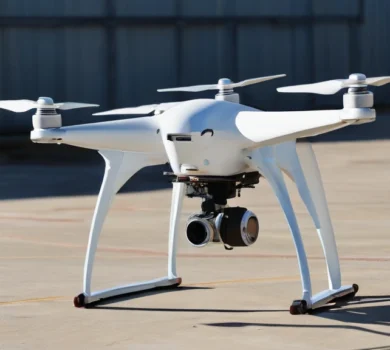
The fusion of drone and ground vehicle data improves the continuity of tracking autonomous vehicles.
A study conducted in a simulation showed that the combination of data from a drone (UAV) and a ground vehicle (UGV)
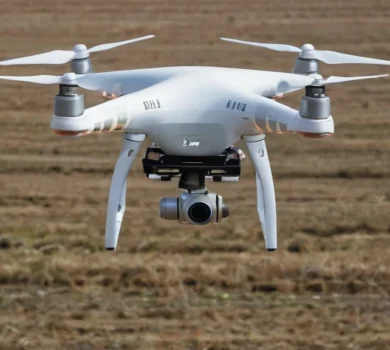
Vision-language models as aids for autonomous drones: balancing speed and precision.
A study conducted on autonomous drones showed that vision-language models, despite their potential for advanced semantic reasoning,