
Programming KUKA Robots in KRL
Precision KUKA Robot Control
Advanced Programming in KRL
Process Optimization with KUKA Robots
Flexible Solutions Adapted to Production
Automation Based on KRL
Full Control over KUKA Robots
KRL is a powerful tool for programming KUKA robots, providing flexibility and precise control. NexaRob offers support with configuring, optimizing, and integrating KUKA robots, adapting them to specific production requirements.
Contact us Watch the videoDiscover Why KUKA KRL Is a Foundation of Automation Across Many Industrial Sectors
Programming KUKA Industrial Robots in KRL
KUKA KRL (KUKA Robot Language) is a dedicated language for KUKA industrial robots. Thanks to its flexible structure, resembling high-level languages, it enables precise and efficient movement sequences and control logic to be created. At NexaRob, we use KUKA KRL to offer solutions closely matched to diverse applications, from welding and palletizing to advanced assembly and inspection processes.
Why KUKA KRL?
- Motion flexibility: LIN, PTP, and CIRC instructions make it easier to create advanced trajectories tailored to industry requirements, such as automotive, food, or metalworking.
- Engineer-Friendly Syntax: The code structure is relatively easy to learn while still enabling advanced robot configuration.
- Extended functionality: KUKA KRL integrates with vision systems and additional axes, such as positioners, and can also use parameters from force or safety sensors.
How Can NexaRob Help?
- Requirements analysis: At the beginning, we define the process and business goals to propose appropriate hardware and KUKA KRL software.
- Code Creation and Optimization: From individual modules to comprehensive applications, our team designs code, tests it in offline environments, and fine-tunes it under production conditions.
- Support and training: We help operators and engineers learn the basics of KUKA KRL so they can make ongoing adjustments and maintain the robot.
See what distinguishes KUKA KRL and in which applications KUKA robots perform particularly well
Key Functions and Application Examples in KUKA KRL
Although all industrial robot languages are used to control movement and logic, KUKA KRL offers a set of functions that support efficient and safe application development. Below are key features and examples of industries where KUKA is widely used:
Flexible Motion Paths
Instructions such as PTP (point-to-point motion), LIN (linear motion), and CIRC (circular motion) allow the programmer to define different trajectories and motion precision levels.
Application: Welding components with complex shapes and palletizing products of varying dimensions.
Multi-Axis Control
KUKA KRL can control additional axes, such as a rotary table or positioner, as an integrated part of the kinematics, increasing robot reach and capabilities.
Application: Metal industry applications such as multi-plane pipe welding, automotive facilities such as body painting.
Collision Control and Safety
Built-in instructions and system variables allow arm load to be monitored and enable a response when the robot encounters unexpected resistance.
Application: Assembly lines requiring cooperation between a robot and a person after appropriate configuration of safety zones.
Multitasking and Parallel Operation
KRL can simultaneously monitor sensor signals and execute the main motion sequence without stopping the robot during operation.
Application: Logistics applications where operators continuously assign new tasks to the robot, such as handling different types of pallets.
Extensive Communication Libraries
KUKA KRL offers protocols for data exchange with PLCs, vision systems, and other robots, enabling complex control systems to be created.
Application: IoT integrations, Just-in-Time production, or advanced welding and assembly processes with multiple robots on one line.
KUKA KRL Language, supported by a wide range of functions and tools, is well suited to projects of different complexity, from simple manipulation to specialized welding and assembly tasks. NexaRob uses these capabilities to adapt code to specific industry requirements and support smooth system implementation at your facility.
Explore different ways to create code for KUKA robots and choose the solution that best fits your plant
Main Programming Modes and Methods in KUKA KRL
Online, Offline, Teach Pendant and More
KUKA robots can be programmed in many ways, from editing code directly on the operator panel to simulation tools used remotely. At NexaRob, we help select the appropriate method for the team's competencies and production requirements so that writing and deploying KUKA KRL code is as fast, safe, and flexible as possible. Below we distinguish the main modes:
Teach Pendant (Online Programming)
- Direct control: The operator uses the panel on the robot, setting movements step by step and saving trajectories.
- Quick Corrections on the Line: Useful when parameters need to be changed "on the fly", for example speed or target position, without stopping the process for long.
- Limitations: Requires stopping the robot while changes are introduced. For more complex tasks, this can be quite time-consuming.
Offline Programming (Simulation Software)
- Working on a computer: KRL code and trajectories are created in an environment such as KUKA.WorkVisual before the robot is stopped.
- Time savings: The line can remain in operation while engineers prepare the next version of the code away from the production floor. Once uploaded to the robot, only minor adjustment may be needed and the process can resume without a lengthy shutdown.
Remote Online Programming, Network-Based Control
- Remote access: NexaRob specialists or the customer's team can update the robot's code remotely if the network infrastructure is appropriately secured.
- Expert support: Enables unusual errors to be resolved quickly or corrections to be introduced without requiring physical presence at the robot.
Hybrid Approach
- Combining methods: Programmers often begin with the Teach Pendant to set base points and then optimize the application offline in WorkVisual.
- Gradual improvement: Code written once can be improved progressively by testing different motion variants in a simulator and then making final corrections online.
Macros and Programming Automation
- Motion libraries: We create reusable code fragments, or macros, that can be used across many tasks, such as standard palletizing movements.
- Templates for new products: If the product range changes frequently, it is worth preparing parameterized modules. Entering a few numbers makes it possible to adapt the robot quickly to the next part variant.
The choice of programming mode and method depends on process characteristics and the pace of changes on the line. Different options are sometimes combined within one factory: Teach Pendant for quick fixes and offline tools for advanced code changes. In the following sections, we will discuss, among other things, integration KUKA KRL with vision systems and additional axes, showing how the robot can respond to a changing environment.
Learn how KUKA robots work with cameras and additional axes to meet the requirements of modern production
Integration with Vision Systems and Additional Axes in KRL Code
KUKA robots controlled using KRL can not only reproduce programmed paths but also respond dynamically to information from cameras, force sensors, or additional axes such as positioners. Below, we show how integration with these devices enables a higher level of flexibility and automation:
Vision Systems
- Communication Protocols: KUKA provides libraries that transfer data from 2D/3D cameras to KRL, enabling real-time trajectory corrections.
- Dynamic Pick-and-Place Operations: If objects are scattered irregularly, the robot uses camera data to calculate an offset and precisely pick the component from the conveyor.
Additional Axes (Positioners, Rotary Tables)
- Greater kinematic capabilities: KUKA KRL allows additional axes to be configured and controlled in parallel with the main robot arm, for example a positioner used for welding in multiple planes.
- Complex Motion Systems: This allows even large and heavy components to be manipulated in a way that provides optimal tool access, for example for a welding torch.
Force and Torque Sensors
- Pressure Control: In applications where robot contact with a part must be delicate (e.g. precision component assembly), KUKA KRL reacts to changes in forces and reduces speed or stops movement to avoid damage.
- Collision Response: When the robot detects unexpected resistance, it can trigger an emergency mode and stop the operation, protecting both the equipment and nearby people.
Application Examples
- Metal industry: Welding steel structures using positioners, with vision support for weld verification.
- Food Industry: Fruit quality verification using 2D cameras and gentle handling of products during packaging.
- Electronics: Assembly of integrated circuits where even minimal displacement or excessive pressure could cause damage.
Thanks to integration with vision systems and support for additional axes, KUKA KRL enables robots to KUKA go beyond standard repetitive operations and adapt to unexpected changes on the production line. NexaRob provides comprehensive support in this area, from selecting suitable cameras or positioners to writing and optimizing code so your company can fully use the modern and flexible capabilities of robots KUKA.
A practical example showing how to use KUKA KRL effectively for fast and precise palletizing of food products
Case Study: Palletizing Automation in the Food Industry
Below we present a case study from the food sector where the key challenge was improving the palletizing of diverse goods with different dimensions and hygiene requirements. A KUKA KRL-based solution increased production throughput and reduced packaging damage.
Project Objective
- Improve palletizing in a dynamically changing product range (different carton sizes, different weights), while maintaining high hygiene standards.
Key Challenges
- Different Package Dimensions and Weights: The robot had to adjust gripping parameters independently.
- Food-grade conditions: The need for frequent line shutdowns for cleaning required flexible code capable of adapting to process restarts.
- Error-Free Package Arrangement: A slight deviation in position could result in an unstable pallet.
KUKA KRL Functions Used
- Dynamic motion offsets: The robot retrieved data on the current position of the parcel, for example from a vision system, and adjusted the trajectory on the fly.
- Safety and emergency-stop procedures: If a collision or gripper load error was detected, KRL stopped the movement and displayed a warning message.
- Dividing Code into Modules: Each product type had a separate module in KRL, such as a module for small cartons and a module for oversized packages, making future modifications easier.
Final Results
- Approximately 25% higher efficiency: Shorter palletizing cycle time and more efficient handling of different parcel formats.
- Fewer damages: Thanks to smoother movements and precisely adjusted gripping force, the percentage of damaged packages decreased significantly.
- Easier Product Changeovers: Updating only the parameters in the KRL module was sufficient to adapt the robot to the next series of food products.
This case study shows how KUKA KRL can help robots meet the challenges of varying sizes and quality requirements in the food industry. NexaRob provided comprehensive implementation support, from needs analysis through code development and testing to operator training. As a result, the customer gained a stable and efficient palletizing system ready for further line expansion.
Learn How to Maintain the Performance and Reliability of KUKA KRL Applications While Meeting Occupational Safety Standards and Minimizing Failure Risk
KUKA Robot Code Optimization and Safety Procedures
Once the basic KUKA KRL code has been created, the next step is continuous improvement and securing the entire solution. NexaRob offers support through code optimization, periodic performance reviews, and adaptation of safety procedures to changing standards and market requirements.
Cycle-Time and Motion-Path Analysis
- Adding logs or statistics: The robot can report the number of movements, total axis distance, or waiting time, helping engineers identify potential bottlenecks more effectively.
- Speed and acceleration adjustments: After initial tests, selected trajectory sections can usually be accelerated while maintaining an appropriate safety margin.
Code Structure and Readability
- Removing repetitions: Refactoring repetitive sequences into functions makes the code clearer and allows any corrections to be introduced in one place.
- Consistent naming: Variables and procedures with clearly defined roles make the project easier for the entire team to understand.
Safety procedures and emergency systems
- Collision zone monitoring: KUKA KRL can handle sensors and scanners monitoring the space around the robot, stopping motion if a person or foreign object enters the protected zone.
- Emergency Stop Conditions: In critical applications such as welding load-bearing components, it is worth defining specific parameters, such as excessive vibration, that trigger immediate robot shutdown.
Code Updates and Migrations
- New firmware versions: KUKA occasionally releases improvements to controller software. We help assess whether installing an update will be beneficial and how to perform it safely.
- Migrations Between Robot Models: If a company purchases a new KUKA robot or changes its product range, transferring the main logic is relatively straightforward, although differences in axis reach or payload must be taken into account.
Optimization and safety procedures are key to long-term and trouble-free operation of KUKA robots. NexaRob can support you with code reviews, periodic performance tests, or adapting the system to new requirements BHP. This gives your company confidence that the line with robots KUKA operates efficiently and in accordance with the highest protection standards.
Clear up your questions about creating and maintaining applications in KUKA KRL and learn about our support model
Frequently Asked Questions
In this section, we answer frequently asked questions about programming KUKA robots in KRL. If you do not find the answer you need, contact NexaRob. We will be happy to discuss your project details and propose individual solutions.
Not always. The basics of KRL are relatively intuitive, especially if you already understand control logic or another robotics language. NexaRob offers training tailored to your team and facility needs.
This is recommended. WorkVisual significantly simplifies offline code editing, configuration management, and testing before robot commissioning. You can also make minor corrections online using the Teach Pendant, but for larger projects WorkVisual shortens implementation time.
KUKA robots, thanks to KRL and extensive kinematic options, are used in automotive applications such as welding and painting, food production such as palletizing, metalworking such as bending and cutting, and precision electronics assembly.
Yes. KUKA offers dedicated libraries for communication with 2D/3D cameras and force sensors. KRL code can include motion correction loops that take current sensor data into account.
As a rule, each robot has its own controller and KRL project, but an application can be built in which robots exchange data, for example over an industrial network. NexaRob helps configure this collaboration and synchronize movements.
It depends on production needs and the degree of product-range variability. If the process is stable, infrequent updates are sufficient. In dynamically developing facilities, adjustments may be introduced every few weeks.
Yes. We work with a global supplier network, including KUKA. We provide comprehensive support, from hardware selection and KRL-code creation to long-term service and future system expansion.
KUKA KRL can respond to excessive torque on an axis (suggesting a collision) or a signal from a safety barrier by immediately stopping robot movement. In addition, NexaRob helps prepare emergency instructions and select suitable sensors.
Contact us by email or phone. NexaRob will assess your needs, advise you on robot model selection and prepare a KRL code implementation plan, from initial workshops and testing through integration on the line.

Do you have more questions?
Do you have additional questions? Contact NexaRob. Our team of specialists can help with KUKA KRL programming, code optimization, hardware configuration and implementations across various industries. We will be happy to discuss your needs and propose a comprehensive, scalable solution.
Automate Your Business with NexaRob - Contact Us!
Interesting Facts from Around the World
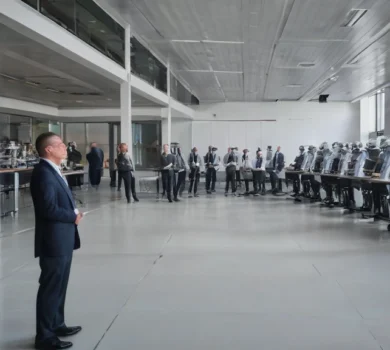
IRIM 2026 Seminar: How can robotics achieve seamless physical interaction with humans?
On October 21, 2026, the Institute for Robotics and Intelligent Machines will host a lecture.
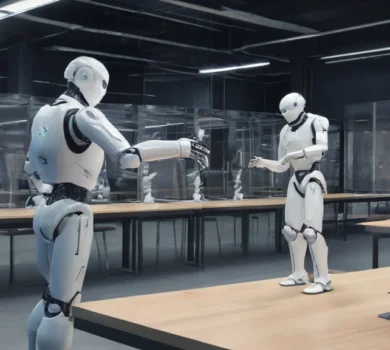
DriveWorld3D: a new generative simulation for safe autonomous driving
The new DriveWorld3D system, developed by the Robostreet team in Cambridge, is designed to help create safer models
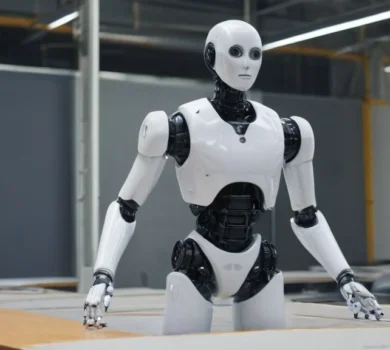
Microlocalization: precise positioning of mobile robots based on microscopic textures of the substrate.
Researchers have presented a new method for localizing mobile robots with an accuracy of tens of micrometers, using microscopic textures
Robotics as a space for creativity and diversity: experiences of researchers from the Oxford Robotics Institute
As part of the International Women in Engineering Day 2026, researchers from the Oxford Robotics Institute (ORI) shared
How does a solar-powered autonomous vessel decide on the most important places to investigate?
Researchers from academic institutions and other organizations have developed a new method for mission planning for autonomous ships