

ABB Robot Programming in RAPID Language
Effective automation in the RAPID language
Precise control of ABB robots
Process optimization through RAPID coding
Modern solutions for the industry
Creation and optimization of control algorithms
RAPID is an advanced tool for programming ABB robots, enabling precise control and optimization of industrial processes. NexaRob offers professional support in the field of coding, configuration and integration of ABB robots, adapting them to specific production requirements.
Contact us Watch the videoDiscover the key advantages and capabilities of one of the most recognizable environments in the world of industrial robotics.
Programming Industrial ABB Robots in RAPID Language
ABB RAPID is a language dedicated to ABB industrial robots, facilitating the creation of logical sequences of movements and procedures. Thanks to its intuitive syntax and rich set of commands, programmers can quickly design operations such as pick & place, welding or quality control. At NexaRob, we use ABB solutions while ensuring that customers receive comprehensive support - from process planning to long-term code optimization.
Why ABB RAPID?
- Clear language: Simple, structured programming language makes it easy for operators and engineers to learn.
- Built-in motion instructions: MoveJ, MoveL or MoveC commands speed up sequence writing and ensure smooth operation with varying dynamics.
- Integration with ABB systems: Good cooperation with RobotStudio and other simulation and motion analysis tools.
- Flexibility: Adaptable to a wide range of applications - from simple assembly tasks to advanced welding or palletizing processes.
How can NexaRob help?
- Requirements analysis: Together with the client, we define the goals and specifics of the process in order to create code tailored to their needs.
- Trajectory Optimization: Thanks to our knowledge of vision systems and adaptive grippers, we adapt the algorithms to reduce cycle times and minimize the risk of errors.
- Operator training: We help staff learn the basics of the ABB RAPID language so that they can independently make minor corrections or adjust motion parameters.
See what distinguishes RAPID from other languages and in which processes it works best.
Key Features and Application Examples in ABB RAPID
Although all robot programming languages aim for a similar goal - controlling the movement and logic of the machine - ABB RAPID stands out with several features that can significantly facilitate the work of programmers and operators. Below are some of the most important ones:
Modular code structure
The program can be divided into modules containing definitions of procedures, variables, and motion configurations, which helps in maintaining order and making future modifications.
Application: Large projects in which different stations or areas of the line have different procedures, e.g., a welding module, a palletizing module.
Extended motion instructions
Commands such as MoveL (linear motion), MoveC (arc motion), or MoveJ (joint motion) give the programmer freedom in defining paths.
Application: Precise assembly (requires high point accuracy), welding (smooth transitions between points), and even cutting along curves.
Parallel task execution functions
They allow you to run different tasks in parallel (e.g., HMI interface handling, safety sensor monitoring) without interrupting the main motion program.
Application: Designing more complex applications where the robot must simultaneously react to vision signals, messages from a PLC, or changing environmental conditions.
Ease of debugging and error handling
Conditional loops and TRYNEXT or ONERROR instructions allow you to implement reactions to exceptional situations (e.g., lack of a part in the gripper).
Application: Industries with high product mix variability, where frequent deviations from the standard process occur.
Integrated simulation tools (RobotStudio)
Official ABB software enables offline programming, collision testing, and cycle time optimization. Programmers can create and refine code outside of the production line.
Application: Any company wanting to minimize downtime, reduce the risk of collisions, and shorten the implementation time for a new product.
ABB RAPID is an efficient tool for controlling robots from the ABB portfolio, combining simple scripting with advanced motion instructions and multitasking support. Combined with our experience in integrating vision systems and adaptive grippers, customers gain a flexible and modern automation system, ready to work in very diverse processes.
Learn about a set of programs and recommended principles that will make creating ABB RAPID code easier and more efficient.
Tools and Best Practices
The first contact with ABB RAPID may be easier than you think - especially if you use the right tools and follow proven rules for writing code. Below, we present the main steps and best practices that will help you quickly start creating stable and efficient programs for ABB robots.
Installation and Configuration of RobotStudio
- Official ABB tool: RobotStudio is an offline environment that enables the creation, testing, and optimization of code in the RAPID language.
- Simulation projects: You can create a new project, import a robot model, and pre-define the layout of the workstation, which helps to avoid many physical collisions and errors during startup on real hardware.
Understanding the Structure of RAPID Codes
- Modules and procedures: Analyze how ABB divides the code into modules (containing variable definitions, procedures, and functions), which makes it easier to maintain order in larger projects.
- Declarations and comments: It is worth using descriptions in this style. // or ! (depending on the software version) to clearly document the purpose and parameters of a given code section.
Motion and Point Planning
- Defining TCP points: The most common commands are MoveJ (joint motion), MoveL (linear), or MoveC (arc). Determine which types of motion are necessary for your process - consider safety limitations or part dimensions.
- Using Wait and Signal instructions: With these, you can synchronize the robot's movements with the operation of other devices (e.g., opening a gripper, a signal from a part presence sensor).
Focus on Readability and Standardization
- Variable naming: Choose short but meaningful names (e.g., pPick, pPlace), which makes debugging easier.
- Offline editing and versioning: Store the code in a repository (e.g., Git) so that you can easily compare changes or revert to a previous version if necessary.
Testing and Validation on Simulator
- The principle of "first virtual, then real": Thanks to RobotStudio, you can run the code in a virtual environment, check cycle times, and confirm that the robot will not hit guards or adjacent elements.
- Comparison with real-world operation: After uploading the code to a physical robot, perform a series of test runs (preferably at reduced speed) to verify that the simulation matches reality.
A good start with ABB RAPID is based on a well-thought-out plan, understanding the tools (especially RobotStudio), and consistently applying coding principles. NexaRob provides support - from initial environment setup, through operator training, to final program optimization. This allows you to confidently develop applications for ABB robots, regardless of the project scale.
See how ABB RAPID works with cameras, force sensors and other devices to solve increasingly complex tasks.
Integration with Vision Systems and Additional Sensors
One of the biggest advantages of ABB robots is the ability to expand them with various peripheral devices, such as vision systems, force sensors or measuring stations. At NexaRob, we design and write code in RAPID so that these elements work seamlessly with the robot, providing a wider range of functionality and higher precision in demanding applications.
Communication with Cameras (Vision Systems)
- Protocols and libraries: ABB offers its own libraries for 2D/3D camera support, as well as the ability to connect via external interfaces (e.g., TCP/IP).
- Vision-based pick & place: The robot recognizes the position of objects on a conveyor belt, even when they are randomly scattered. In the RAPID code, we introduce appropriate motion offsets to adapt to the actual position of each part.
Force and Moment Sensors
- Pressure control: When the robot needs to gently press an element (e.g., during the assembly of precision components), a force sensor allows it to detect when the target value is reached and stop the movement.
- Adjustable parameters: The code in RAPID can dynamically change the speed and force of the movement based on feedback, which minimizes the risk of damage to components.
Support for Digital and Analog Inputs/Outputs
- Status signaling: During operation, the robot can activate additional devices (e.g., feeders, pumps) and also receive signals about the readiness of other machines.
- Analog control: If the process requires manipulation of analog values (e.g., temperature regulation in a soldering system), we create loops in the RAPID code that monitor these parameters and react to changes.
Emergency Procedures and Safety Conditions
- Reaction to sensor errors: If the camera stops sending data or the force sensor reports exceeding acceptable values, we can immediately stop the movement and trigger an alert in the code.
- Signal redundancy: We often recommend adding additional control signals so that if one sensor fails, the robot can switch to plan B instead of completely stopping the line.
Example Applications
- Food Industry: Recognition of shapes and sizes of fruits, sorting by quality.
- Electronics: Precise assembly and inspection of integrated circuits using both cameras and force sensors.
- Automotive: Inspection of weld seams, quality measurements of bolted joints in motor housings, etc.
In the environment ABB RAPID integration with vision systems and additional sensors allows traditional robots to be extended with the ability to "see" and interact with the environment in real time. NexaRob supports customers in creating coherent applications where the robot not only performs a programmed route but also actively reacts to the situation and adapts to the challenges of modern production.
A practical example showing how to effectively use the RAPID language for tasks requiring high accuracy.
Precise Assembly Project with ABB RAPID
To better illustrate the potential of ABB RAPID, we present a case study from the electronics industry, where the key challenge was the precision of assembling small components. NexaRob, acting as an integrator, designed robot control codes for ABB so that it could reliably handle microcircuits that are highly sensitive to pressure and positioning.
Project Goal
- Fast and precise assembly of microplates and electronic components, with accuracy in the order of tens of micrometers.
- High flexibility - quick change of formats and automatic adaptation to different product variants without the need for lengthy reconfiguration of the line.
Main Challenges
- Minimal positioning error: Elements sensitive to the smallest deviations, requiring a stable robot trajectory and controlled pressure during placement.
- Real-time quality control: The built-in vision system was designed to detect any deviations, after which we placed correction logic in the RAPID code.
Key Solutions in ABB RAPID Code
- Advanced MoveL and MoveC Functions: Enabled smooth yet rapid transitions between points - important to prevent parts from vibrating during position changes.
- Use of WObj and Tool Instructions: Thanks to the precise definition of tool coordinates and workpiece base, the robot could move freely, taking into account the actual dimensions of the gripper and the part being processed.
- Error Handling Procedures: When the vision system reported a mismatch with the dimensions, the robot set aside the defective part and signaled to the operator the need to check the batch.
Final Effects
- Reduced Defects: It was possible to reduce the percentage of incorrectly assembled units by more than 40%.
- Shorter Cycle Time: Almost 20% faster at each station, which on a monthly scale translated into thousands of additional finished products.
- Easy Adaptation: New PCB variants were introduced in just a few minutes, simply by changing a few parameters in the RAPID module.
This case proves that ABB RAPID it works great for complex and precise tasks. The ability to create multi-module projects and easy integration with vision systems guarantees stable operation and high production quality - even with small, delicate components. NexaRob helped the client with the full implementation of the project: from planning, through writing code, to testing and team training.
How to improve already written programs in ABB RAPID and deal with the challenges that arise during robot operation?
Code Optimization and Debugging of Programming Effort
No code is eternal - as production processes develop or changes occur in the product range, applications in ABB RAPID may require optimization and updates. NexaRob offers debugging and refactoring services to increase robot efficiency and quickly respond to emerging difficulties.
Cycle Time and Motion Path Analysis
- Recording points: If the robot performs unnecessary movements or stops unnecessarily, changes in MoveL/MoveJ can shorten the cycle.
- Optimization of speed and acceleration: We ensure that the motion parameters are safe, but also as efficient as possible for a given application.
Improving Code Structure
- Refactoring: Creating more readable modules and procedures, removing repetitive fragments (e.g., moving them to common functions).
- Better described variables: Changing names (e.g., pPick1 → pPickLocation, nDelay → nPickingDelay), which makes it easier for many people to understand the logic.
Implementing New Functions
- Adding sensor support: If the process requires force control or integration with a vision system, the RAPID code should be supplemented with appropriate instructions and reactions to signals.
- Expanding safety procedures: Regulations and standards may change, so we update the robot's reactions to potential errors or emergency situations as needed.
Debugging and Troubleshooting
- Using breakpoints in RobotStudio: You can pause the program at a specific point and review variable values step by step.
- Error logging: We add messages to system variables or files to track the cause of stops and alarms. This reduces the time required for diagnosis.
When should you seek help from NexaRob experts?
- Lack of time in the internal engineering department: We support clients through remote code analysis or on-site visits, especially for more complex projects.
- Suddenly appearing errors: Unidentified causes of line shutdown, suspicion of conflict between different modules - our programmers with experience in ABB RAPID can quickly find and eliminate the source of problems.
Optimization and debugging are extremely important elements of the application lifecycle in ABB RAPID. Through regular code reviews and improvements, continuous improvement of quality and process efficiency is ensured. NexaRob serves as support for both minor corrections and major overhauls of the robot's operating logic - always to ensure that your system operates stably and economically.
Dispel your doubts about ABB RAPID programming and find out how we can help you.
Frequently Asked Questions
No. If someone has a basic understanding of control logic, introductory training is usually sufficient to effectively use RAPID commands.
It is versatile enough that it is used in electronics assembly, the food industry (packaging), automotive (welding, machine operation), as well as in the chemical and pharmaceutical industries.
Officially, this is the most convenient way. You can write RAPID code in a regular text editor, but RobotStudio provides simulation, debugging, and trajectory configuration functions, which significantly improves work.
There are dedicated ABB libraries and network communication methods. The key is to properly program the motion correction based on the data returned by the camera.
We operate as an integrator cooperating with a global network of suppliers - including ABB. We can help you choose a specific robot model and develop software for it.
It depends on the rate at which new products are introduced and changes are made to the process. Some lines remain stable for months, while others require corrections every few weeks.
Theoretically no. If the project is very extensive, it is divided into modules and libraries to maintain clarity and efficiency.
We offer both remote debugging and on-site visits as needed. We can also regularly review the code for optimization and security.
Simply contact us by email or phone. We will schedule a consultation during which we will discuss the challenges of your process and propose a preliminary plan for implementing programming in ABB RAPID.

Do you have more questions?
Do you have any additional questions? Contact NexaRob - we provide professional support in programming ABB RAPID robots, taking into account industry specifics, quality requirements, and current production realities. Together with you, we will create code that will open up new automation opportunities for your company.
Automate Your Business with NexaRob - Contact Us!
Interesting facts from around the world

New pneumatic actuator with the ability to change operating modes without disassembly.
Researchers have presented a new, switchable pneumatic actuator based on fabric that enables changing the operating mode without

From TUM research to unicorn: RobCo reaches a value of 1 billion euros.
The Münster-based start-up RobCo has reached a market capitalization of 1 billion euros, becoming the 24th unicorn in history.

Professor Rania Rayyes on the list of 20 women in robotics to know in 2026.
Professor Rania Rayyes from the Karlsruhe Institute of Technology was recognized on the list of 20 women in robotics.
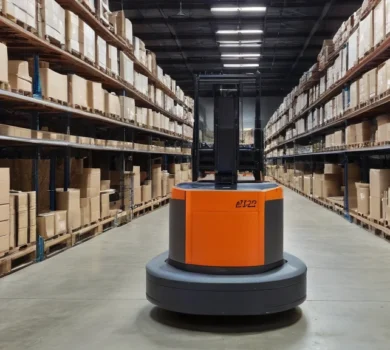
How to design a warehouse ready for robots: key decisions from the very beginning
Newly constructed warehouses intended for automation must be designed from scratch as a system that is ready for future expansion.

Professor Enrica Tricomi is creating a new research group in the field of neurorobotics at TUM.
Professor Enrica Tricomi has started building a new research group at the Technische Universität München (TUM) as part of