Kawasaki Robot Programming in AS Language
Advanced Kawasaki Robot Control
Precise Automation in AS Language
Process Optimization in Kawasaki Robots
Modern Solutions in AS Control
Full Control Over Industrial Robots
Efficiency and Flexibility in Programming
AS language is an advanced tool for programming Kawasaki robots, enabling precise control and optimization of industrial processes. NexaRob offers support in configuring, integrating, and adapting Kawasaki robots to specific production needs.
Contact us Watch the videoDiscover the key advantages and capabilities of Kawasaki AS - the foundation of precise robot control.
Programming Industrial Kawasaki Robots in AS Language
Kawasaki AS is a dedicated programming language used in Kawasaki industrial robots, designed to ensure high precision and flexibility in performing various production processes. This language stands out for its simple syntax and advanced functions, which enable the creation of complex sequences of movements and control logic, perfectly tailored to the specific needs of industrial plants.
Thanks to Kawasaki AS, programmers can create applications that enable:
- Precise motion control: Access to extensive motion commands, such as linear, articulated, or arc trajectories, which enable the execution of tasks with high accuracy.
- Easy integration with control systems: The ability to seamlessly connect with other automation systems and peripheral devices, such as sensors, cameras, or IoT systems.
- Process optimization: Automation of complex production operations that enables rapid adaptation to changes in the product range and flexible response to market needs.
Why Kawasaki AS?
- Clear and intuitive syntax: It facilitates learning and quick implementation, even for teams just starting their journey with robot programming.
- Extensive configuration options: It enables precise definition of motion parameters, which is crucial in applications requiring high accuracy.
- Versatility of applications: This language works well in many industries, from assembly to advanced welding processes, making it a versatile tool for companies with diverse production needs.
How can NexaRob help?
- Requirements analysis and consultation: Together with the client, we define goals and process specifics in order to select optimal hardware and software solutions.
- Code creation and optimization: We offer comprehensive support - from designing applications in Kawasaki AS, through tests and simulations in an offline environment, to implementation on the production line.
- Operator training and service support: We provide complete staff training, so that the team can independently make minor modifications and maintain the system at a high level of performance.
See what distinguishes Kawasaki AS and in which applications Kawasaki robots achieve the highest efficiency.
Key Features and Application Examples in Kawasaki AS Language
The Kawasaki AS language offers a range of advanced features that facilitate the creation of robot control applications. Thanks to them, it is possible not only to precisely control movement, but also to dynamically adapt to changing production conditions. Here are some key advantages of Kawasaki AS:
Modular code structure:
The program can be divided into modules containing definitions of procedures, variables and motion configurations. This makes maintaining order in the project and making modifications in the future much easier.
Example of application: Large projects in which different production stations (e.g., welding module, assembly module, palletizing module) require separate procedures.
Extended motion instructions:
Kawasaki AS enables precise definition of trajectories using commands that allow for linear, articulated, and arc movements. This allows you to adapt the robot's movement to specific production requirements while ensuring smooth and precise operation.
Example of application: Precision assembly, where point accuracy is important, as well as welding, which requires smooth transitions between points.
Network communication support
Kawasaki AS allows integration with external control systems, such as PLCs or IoT systems. This enables synchronization of robots with other elements of the production line and continuous monitoring of the process.
Example of application: Assembly lines where robots exchange data with a central manufacturing management system.
Safety features
Built-in emergency procedures and monitoring mechanisms allow for rapid response in the event of detecting irregularities, such as excessive torque on an axis or unexpected shifts.
Example of application: Lines where protecting operators and equipment is important, especially in human-robot collaboration areas.
Applications in various industries
Kawasaki AS finds application in industries such as automotive, food processing, metalworking, and electronics. Thanks to its flexibility, this language enables the implementation of both simple and complex production operations.
Example of application: Automation of assembly processes, where fast and precise robot movements are critical for ensuring product quality.
Kawasaki AS Language offers advanced programming capabilities that allow you to create flexible, precise, and safe applications for Kawasaki robots. NexaRob supports companies at every stage - from requirements analysis, through code creation, to implementation and operator training - ensuring that your production line operates efficiently and in accordance with the latest automation standards.
Discover the various ways to create code for Kawasaki robots and choose the solution that best suits your process.
Tools and Best Practices: Programming Environment, Offline Editing, and Debugging.
Programming Kawasaki robots in the AS language can be done in several ways - from quickly creating code directly on the operator panel (Teach Pendant), to an advanced simulation environment operating outside the production line. At NexaRob, we help you choose the right method for your plant's requirements and team competencies, so that the process of writing and implementing code is fast, safe, and flexible. Below are the main modes:
Teach Pendant (Online Programming)
- Direct control: The operator can set the robot's trajectory point by point, saving sequences directly in the Kawasaki AS code.
- Quick adjustments on the line: Ideal if you need to adjust motion parameters or part positions "on the fly" without shutting down the entire process for a long time.
- Limitations: For more complex sequences (e.g., a large number of points), it requires greater caution and may take more time to configure.
Offline Programming (Simulation Environment)
- Working on a computer: Kawasaki AS code and motion trajectories are created in a virtual environment (e.g., Kawasaki SimPro) before being transferred to the robot.
- Time saving: The line can continue to operate while engineers prepare the next version of the code outside the production hall. After uploading to the controller, usually only minor adjustments are needed, and work can continue.
- Application: Great for advanced applications where the risk of collisions or complications is high, and downtime is costly.
Online Remote Programming (Network Control)
- Remote access: If the network infrastructure is properly secured, the NexaRob team or your engineers can log in to the Kawasaki controller and modify the code remotely.
- Expert support: This allows for quick fixes in situations with sudden errors or unusual robot behavior, without requiring physical presence at the machine.
Hybrid Approach
- Combining methods: Often, programmers start with the Teach Pendant for basic calibration and point setting, and then move on to detailed optimization in an offline environment.
- Gradual Improvement: After initial configuration, you can gradually improve the code, testing different variants in the simulator, and making final adjustments online on the actual robot.
Methods of programming in Kawasaki AS They are flexible - in one company, you can combine different approaches, depending on the complexity of the process and the frequency of changes in production. This enables a quick response to emerging needs, while saving time and costs. In the following sections, we will show how Kawasaki robots can work with vision systems and sensors to operate even more intelligently and safely.
Learn how Kawasaki AS code allows robots to react to data from cameras and sensors, adapting to changing conditions in the production process.
Integration with Vision Systems and Sensors in Kawasaki AS
Kawasaki robots do not have to be limited to simply playing back programmed sequences - thanks to integration with devices such as cameras or force sensors, they can adapt to situations on the line in real time. Below we describe how Kawasaki AS supports this flexibility:
Vision Systems
- Protocols and libraries: Kawasaki AS can use dedicated functions to communicate with 2D/3D cameras, transmitting information about the position, shape, or quality of parts.
- Dynamic trajectory correction: When objects are disordered or there are deviations in position, the robot automatically calculates motion offsets, increasing precision and reducing cycle time.
Force and Moment Sensors
- Pressure control: In assembly applications or when handling delicate goods, the robot can react to changing force - for example, slowing down or stopping movement to avoid damage.
- Collision detection- If the torque on the axis exceeds the permissible value, the program in Kawasaki AS can immediately stop the operation and trigger a warning signal.
Integration with Infrastructural Control Systems
- Network communication: The robot can receive commands and send data to the MES, ERP system or other PLCs, cooperating with the entire production line in a synchronized manner.
- Support for additional axes: Kawasaki AS allows control of additional axes (e.g., rotary tables, positioners), which significantly expands the robot's capabilities in terms of machining or welding large parts.
Application examples
- Food Industry: Sorting products of different sizes and shapes, where the camera provides information about the position, and the force sensor allows for gently gripping sensitive packaging.
- Automotive: Welding of sheet metal with unusual shapes, using a camera to verify the correct position of elements before and after welding.
- Electronics: Precise assembly of components, where readings from a force sensor protect against damage to delicate PCB boards.
The use of vision systems and force sensors makes robots Kawasaki programmed in AS language able to adapt to changing production conditions - reacting to deviations in the position of parts or changing environmental parameters. NexaRob will help you select the appropriate equipment, develop code, and implement such an integrated solution so that your production line achieves maximum efficiency and reliability.
See how Kawasaki AS code can improve key assembly steps in the industrial sector.
Case Study: Optimization of Assembly Processes with Kawasaki AS
In this section, we present a case study from the assembly sector, where Kawasaki robots - programmed in AS language - helped significantly increase efficiency and the quality of final products. Here are the most important aspects of this implementation:
Context and Main Challenges
- Complex assembly processes: Many stages of assembling various components required meticulous precision and coordination.
- Low tolerance for errors: Even small deviations in the positioning of elements could cause faulty operation or the need for rework.
- Dynamic production: Frequent changes in product model or variant required quick switching between motion sequences.
Modular structure of assembly tasks
- Each key sub-process (e.g., tightening screws, seating seals) had its own separate module in the code.
- This made it easier to introduce changes, for example, when a new type of component appeared that needed to be assembled.
Integration with force sensors
- When there was a need to gently insert a component into a socket, the robot monitored the pressing force.
- After detecting too much resistance the code stopped the movement, warning the operator of a potential assembly error.
Effects and Benefits
- Increased assembly speed: One workstation with a Kawasaki robot replaced several manual workstations, increasing productivity by approximately 25%.
- Reduced errors: Dynamic force control and visual verification minimized the number of errors, which translated into fewer complaints.
- Easier adaptation to new models: Thanks to the modular logic in Kawasaki AS, engineers could easily introduce new assembly procedures without rebuilding the entire code.
The case study shows how flexibility of the Kawasaki AS language and integration with sensors and vision systems can significantly improve assembly processes. NexaRob supported the entire project - from needs analysis, through code writing, to implementation and operator training, ensuring a clear increase in quality and production efficiency for the company.
Learn how to maintain high efficiency and reliability of applications in Kawasaki AS, while adhering to required safety standards.
Optimization of Codes and Safety Procedures in Kawasaki AS
After implementing the application in Kawasaki AS, it is worth taking care of its continuous improvement. NexaRob recommends a set of practices that allow you to maintain stability, efficiency and meet stringent health and safety and quality standards:
Cycle time and motion path analysis
- Monitoring statistics: The robot can report the number of cycles, downtime or the number of errors - this data allows engineers to easily identify opportunities for improvement.
- Trajectory Optimization: Adjusting speeds and shortening unnecessary movements can significantly speed up the process while maintaining safety.
Code structure and readability
- Refactoring: Removing repetitive fragments by creating modules and functions improves the implementation of changes and reduces the risk of errors.
- Consistent naming: Clear, consistent variable names (nForceLimit, pHomePos) promote team collaboration and facilitate debugging.
Safety procedures
- Emergency conditions: The Kawasaki AS code can stop robot movement at any time in case of excessive load or violation of the safety zone.
- Regular tests: We recommend periodic checks of sensor correctness (e.g., laser barriers, light curtains) and updating the code for new health and safety regulations.
Updates and maintenance
- New firmware versions: Kawasaki may release improvements in controller software - assessing their usefulness and possible installation can strengthen robot stability.
- Application expansion: If the production process changes or the scale of operation increases, you can easily expand the AS code, e.g., by adding support for additional stations or axes.
Systematic optimization Kawasaki AS code and attention to safety procedures are the foundation for the long-term operation of robots. NexaRob offers support in performing inspections, optimizing motion paths or integrating new devices - so that your system maintains the highest efficiency and reliability throughout its entire life cycle.
Dispel your doubts regarding the creation and maintenance of applications in Kawasaki AS, and learn about our support model.
Frequently Asked Questions
Below we answer frequently asked questions about programming Kawasaki robots in the AS language. If you cannot find the answer you are looking for here, please contact NexaRob - we will be happy to discuss your challenges and propose solutions tailored to the needs of your plant.
Not necessarily. If someone has a basic understanding of control logic or experience with other robotic languages, then learning Kawasaki AS is relatively easy. NexaRob offers training courses that will help your team quickly become self-sufficient.
Kawasaki robots are popular in the automotive industry (welding, painting), electronics (precision assembly), food industry (packaging, palletizing) and in the metal industry (cutting, bending). The flexibility of the AS language makes it suitable for both simple and complex projects.
Yes. Dedicated environments are available (e.g., Kawasaki SimPro) that allow you to create and test code in offline mode. This reduces the number of downtime on the line and allows you to safely refine trajectories before the code is transferred to the actual robot.
Kawasaki AS offers libraries and protocols, thanks to which the robot can receive data from cameras (2D/3D) and control positioners or rotary tables. In the code, you can dynamically correct movement depending on the information obtained from the sensors.
These are usually industrial robots that require fencing or appropriate safety systems. However, there are also models with built-in collision detection functions, as well as the possibility of expanding them with additional vision or force systems to improve interaction safety.
This depends on the nature of the production and the level of product variety. Stable processes may only require occasional adjustments, while dynamic lines with regular addition of new products may need more frequent modifications and tests.
Yes. We cooperate with a wide network of suppliers, including Kawasaki. We can help you choose the optimal robot model, configure the AS hardware and software, and also provide long-term service support.
Many code fragments can be transferred and adapted to the new configuration - all that is needed is a modification of the range, load or speed parameters. NexaRob offers code migration services between different Kawasaki robot models.
We invite you to contact us by e-mail or telephone. NexaRob will gladly advise you on choosing equipment, develop Kawasaki AS code, and also conduct training in operating robots and daily maintenance.

Do you have more questions?
Contact NexaRob - our specialists will help you create and optimize solutions based on Kawasaki AS, tailored to the individual needs of your production. Thanks to comprehensive support and training, we ensure that the implemented robots will operate efficiently and reliably, while meeting all required safety standards.
Automate Your Business with NexaRob - Contact Us!
Interesting facts from around the world
How does the new diffusion model change the approach to autonomous driving?
The new QualiDrive model introduces an innovative approach to trajectory generation in autonomous vehicle guidance - instead of
The fusion of drone and ground vehicle data improves the continuity of tracking autonomous vehicles.
A study conducted in a simulation showed that the combination of data from a drone (UAV) and a ground vehicle (UGV)
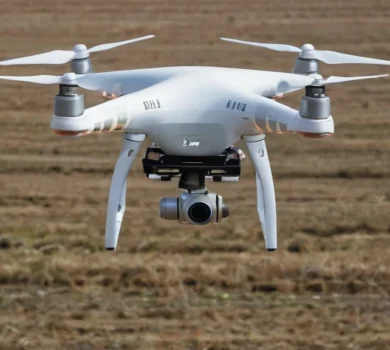
Vision-language models as aids for autonomous drones: balancing speed and precision.
A study conducted on autonomous drones showed that vision-language models, despite their potential for advanced semantic reasoning,
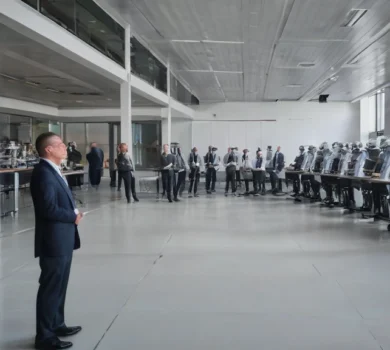
IRIM 2026 Seminar: How can robotics achieve seamless physical interaction with humans?
On October 21, 2026, the Institute for Robotics and Intelligent Machines will host a lecture.
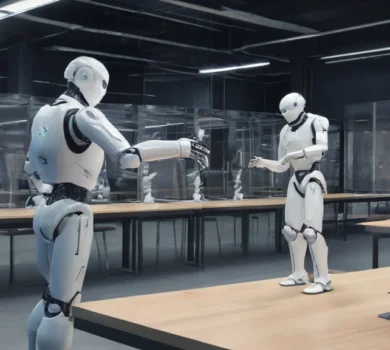
DriveWorld3D: a new generative simulation for safe autonomous driving
The new DriveWorld3D system, developed by the Robostreet team in Cambridge, is designed to help create safer models.