FANUC Robot Programming in Karel Language
Advanced FANUC Robot Control
Precise Process Automation
Optimization of FANUC Robots in the Karel Language
Modern Control Algorithms
Flexible Solutions for Industry
Maximum System Control and Efficiency
The Karel language enables advanced control of FANUC robots, ensuring maximum precision and programming flexibility. NexaRob offers comprehensive support in configuring, optimizing, and integrating FANUC systems, adapting them to individual production requirements.
Contact us Watch the videoFind out why Karel has become the foundation for many advanced implementations in the industrial automation industry.
Programming Industrial FANUC Robots in the Karel Language
FANUC Karel is a dedicated programming language used in industrial robots manufactured by FANUC. Due to its structure, which is similar to traditional procedural languages, allows for the creation of complex sequences of movements and control logic. In practice, this means that the code can handle advanced operations - from precise assembly and welding to intelligent sorting of objects based on images from cameras.
Why FANUC Karel?
- Close Similarity to Pascal: Creating variables, loops, and conditional blocks is clear, which speeds up learning programming and maintaining code.
- Extensive Libraries: Support for input/output signals, communication with external devices (e.g., PLCs), and rich procedures for motion management.
- Flexibility: Easy adjustment of the robot's trajectory to new products or operating modes, as well as the possibility of cooperation with vision systems and force sensors.
How can NexaRob help?
- Integration with a global supplier network: We offer not only experience in writing Karel code, but also in selecting components (cameras, grippers) for complete solutions.
- Creating new applications: From process analysis to code implementation and offline RoboGuide to its final implementation in your factory.
- Migrations and optimizations: We conduct audits of existing applications, removing unnecessary movements or adding safety procedures - so that the line operates more stably and faster.
Learn about the most important advantages of Karel and find out in which processes FANUC robots achieve exceptional efficiency.
Key Features and Application Areas of the FANUC Karel Language
Although each robot programming language has its advantages, FANUC Karel stands out with a set of functionalities that provide programmers with considerable freedom when designing tasks. Below we present several areas in which Karel and FANUC robots can bring the most benefits:
Precise trajectory control
The robot can move along multi-point paths (e.g., arcs, lines) and dynamically adjust movement speeds depending on data from sensors.
Application: Welding or assembly processes where uniform welds or the absence of damage to delicate parts are important.
Multitasking and parallel operation
Description: Karel allows you to run multiple threads (tasks) simultaneously, e.g., for handling the HMI interface, monitoring safety signals, or communicating with vision systems.
Application: Larger production lines in which one robot must quickly respond to many stimuli (e.g., signals from sensors and the operator).
Network communication support
Description: Standard libraries are offered for exchanging data with external devices (PLCs, databases, IoT systems).
Application: Warehouses with robots assembling orders, the automotive industry (robots working in series with CNC machines).
Advanced safety procedures
Built-in functions for detecting emergency conditions and immediately stopping the robot's movement, e.g., in the event of a collision or unauthorized human entry into the work area.
Application: Installations where operator protection is a priority (e.g., lines with high temperatures or heavy parts).
Flexible I/O libraries
Easy control of outputs (e.g., opening the gripper) and reading inputs (part presence sensor), which is useful in most production applications.
Application: Sorting and palletizing, assembly with element position control, logistical transfer stations.
FANUC Karel offers efficient and understandable tools for programming robots in many industrial sectors. From manipulation applications to welding and advanced quality control - FANUC robots FANUC, thanks to the flexibility of the Karel language, can adapt to the specific requirements of the plant. NexaRob helps to fully utilize these capabilities by combining world-class technology with practical integration experience.
Learn about a set of programs and recommended principles that will make creating code in FANUC KAREL easier and more efficient.
How to Start Your Adventure with KAREL
Tools and Best Practices
The first contact with KAREL may be easier than it initially seems - especially if you use the right tools and apply proven methods of writing code. Below, we present the main steps and best practices that will help you quickly create stable and efficient programs for FANUC robots.
Installation and Configuration of RoboGuide
- Official FANUC tool: RoboGuide is an offline environment where you can create and test KAREL code without stopping actual production.
- Simulation projects: Create a new project, import the robot model, and predefine the layout of the workstation. This allows you to check motion trajectories and avoid physical collisions during later deployment on real hardware.
Code Structure and Modularity
- Files and procedures: It is recommended to divide the application into logical modules (e.g., procedures, functions), which makes it easier to maintain order and reuse code fragments.
- Comments and naming: Use descriptive variable names (e.g., pPick, pDrop, nSpeed) and leave clear comments. This helps you quickly navigate the code, especially in larger projects.
Offline and Online Editing
- Offline mode: Write code and perform tests in RoboGuide before transferring it to a physical robot. This helps minimize downtime.
- Online corrections: If necessary, you can make minor changes to the code on the actual workstation as needed, e.g., adjusting motion parameters to production conditions.
Debugging and Log Management
- Diagnostic messages: Adding display of key information about variables and program status significantly speeds up problem detection.
- Version repository: Storing code in a version control system (e.g., Git) makes it easier to compare changes and revert to previous versions if necessary.
Best Practices
- Clear architecture: Divide tasks in KAREL into smaller, easy-to-maintain functions.
- Consistent coding style: Establish a naming and formatting convention (e.g., spacing, comments) so that the entire team can easily understand the project.
- Testing before deployment: Always test the code first in a simulator, which reduces the risk of errors on the production line.
A good start with FANUC KAREL it starts with getting to know the. Roboguide) and consistently applying practices that allow you to write clear code. NexaRob offers support - from implementing the development environment, through training, to final application optimization on real robots FANUC. This allows you to develop automation in your plant with a guarantee of reliability and safety.
See how KAREL code enables FANUC robots to respond to data from cameras and sensors to meet the challenges of modern production.
Integration with Vision Systems and Additional Sensors
FANUC robots with KAREL code do not have to be limited to pre-programmed paths. By integrating vision systems and force sensors, they can dynamically adjust movements to current data from the environment. As a result, the robot gains "senses," allowing it to operate more efficiently in changing conditions.
Communication with Cameras (Vision Systems)
- Protocols and libraries: FANUC provides a set of functions for receiving object coordinates from 2D/3D cameras, which allows dynamic correction of the robot's trajectory in KAREL.
- Vision-based pick & place: The code can calculate motion offsets when a part is located in an unexpected position on the conveyor belt, minimizing errors and reducing cycle time.
Force and Moment Sensors
- Pressure control: In applications where gentleness is required (e.g., assembly of sensitive components), the robot can check the pressing force in real time and stop the movement after reaching the set value.
- Adjustable parameters: The code in KAREL allows changing the speed or angle of movement depending on the values read from the sensor, preventing damage to parts.
Digital and Analog Input/Output Support
- Integrated control: The robot can simultaneously send commands to other devices (e.g., activate a gripper) and receive signals about machine readiness, ensuring synchronization of the entire process.
- Analog data: It is possible to read voltage or current values, which is useful in advanced processes (e.g., dispensing liquids, temperature control).
Emergency Procedures and Safety
- Reaction to alarm signals: When a camera or force sensor detects an anomaly (e.g., a shifted part or excessive pressure), the KAREL code can immediately stop the movement and display a warning message.
- Example industries: Automotive (welding and geometry control), food industry (gentle transfer of products), electronics (assembly of small components on PCBs).
Example Applications
- If the robot is tasked with picking up parts of different sizes, a 2D camera identifies the component type and transmits the data to the KAREL program. The robot automatically selects the appropriate path and gripping force, adapted to the specific part.
Thanks to integration with vision systems and force sensors, robots FANUC with code KAREL can work in a much more flexible and autonomous way. NexaRob takes care of developing a complete application - from selecting hardware and communication libraries to implementing logic in KAREL. As a result, your production line gains efficiency and precision while maintaining full operational safety.
A practical example showing how the Karel language can increase the precision and efficiency of the welding process.
Welding Automation in the Metal Industry
To illustrate the potential and flexibility of Karel code, we present a case study from the metal industry where the key challenge was to automate the welding process of components with various shapes and dimensions.
Project Goal
- Faster and more repeatable welding of metal products, while simultaneously reducing errors.
- Adaptation to variable assortment - the robot had to handle both small, light parts and larger structures.
Challenges
- Maintaining stable arc welding: The robot must precisely maintain parameters (position, speed, current).
- Variety of shapes: The need to detect edges and determine the welding trajectory depending on the dimensions of the product.
- Ensuring safety around the welding area, where sparks and high temperatures occur.
Key solutions in Karel code
- Advanced motion functions: Using control loops allowed for dynamic correction of the torch speed and angle during operation.
- Integration with a vision system: A camera monitoring the edges of the part transmitted coordinates to the program, and Karel corrected the welding path in real time.
- Safety procedures: Calling instructions to stop movement when sensors indicate that permissible parameters have been exceeded (e.g., temperature, people moving nearby).
Final effects
- Reduction of welding defects by approximately 30% compared to the previous semi-automatic process.
- Reduced cycle time - in automatic mode, the robot handled up to 25% more parts per day.
- Flexibility - when changing products, engineers only made minor modifications to the code module, which significantly accelerated the implementation of new series.
This story proves that Karel code is well suited for complex welding processes where both high accuracy and adaptability are required. NexaRob supported the client at every stage - from defining requirements through writing and testing the code, to implementation and training - ensuring a stable and efficient robotic welding system. FANUC.
How to maintain the performance and reliability of applications in Karel while meeting high safety standards.
Optimization of Codes and FANUC Robot Safety.
No code is eternal - as production processes develop or changes occur in the product range, applications in ABB RAPID may require optimization and updates. NexaRob offers debugging and refactoring services to increase robot efficiency and quickly respond to emerging difficulties.
Cycle time and motion analysis
- Recording points: Adding logs and statistics (e.g., number of passes, total axis distance) makes it possible to identify unnecessary movements.
- Speed and acceleration parameters: After the testing phase, it often turns out that the robot can accelerate certain passes without the risk of collision, which shortens the total task execution time.
Code structure and readability
- Removing redundancies: It enables replacing repetitive sequences with procedures called in different places in the program, which simplifies modifications and debugging.
- Consistent naming: It makes it easier for the entire team to understand the program, and in the event of expansion - accelerates the introduction of new functionalities.
Safety procedures
- E-stop and safe zone signaling: A well-written Karel code can continuously monitor signals from emergency stop buttons and sensors around the work area, activating a motion stop if necessary.
- Collision locks: In projects where two FANUC robots work side by side, it is worth adding mechanisms that prevent the robots from entering a collision trajectory.
Software updates
- New firmware versions: FANUC sometimes releases patches and new features that can be installed in the robot controller. NexaRob helps to assess the benefits and safely perform the update.
- Project scalability: When a second robot or additional devices appear on the line, we expand the code to support additional modules and communication protocols.
When should you use NexaRob's help?
- Lack of resources in the team: Support for companies that do not have internal specialists to continuously maintain and optimize Karel applications.
- Suddenly appearing errors: Quick problem diagnosis by experts familiar with many versions of FANUC controllers, minimizing line downtime.
Optimization and safety are two pillars of maintaining high-quality robot operation. FANUC. From improvements in the code (shortening cycles) to extensions that ensure the protection of people and equipment - NexaRob offers full integration support so that your Karel installation works efficiently and in accordance with safety standards.
Dispel doubts related to creating and maintaining applications in Karel, and also learn about our support model.
Frequently Asked Questions
Usually not, if the programmer already has a basic understanding of control logic. Karel draws inspiration from Pascal, which makes it easier to understand. NexaRob offers training to quickly onboard your team.
It is highly recommended. Roboguide significantly simplifies offline testing and simulations, which reduces the risk of errors during physical line startup.
FANUC provides libraries, and Karel code allows you to call them and process data in the robot's control loop. You can dynamically correct movements in real time.
Yes. Writing Karel code for several FANUC robots requires ensuring proper communication and coordination, but it is fully feasible, especially with the help of experienced integrators.
It depends on the variability of your product range and the degree of development of the production line. When the process is stable, updates are rare; in rapidly developing plants, there may be significantly more changes.
We are an integrator cooperating with numerous suppliers, including FANUC, but we do not manufacture robots. However, we help you choose, purchase and implement robots so that they fit your needs.
We can apply various methods of authorizing access to the controller and add logic to protect against accidental execution of risky sequences.
Yes, we have experience in converting logic and procedures from various platforms (e.g., ABB RAPID, KUKA KRL) to Karel or vice versa, depending on the needs of the plant.
Please contact us by e-mail or telephone. NexaRob will advise you on choosing the best robot model, write and optimize Karel code, and also train your team in operation and maintenance.

Do you have more questions?
Do you have any further questions? Contact NexaRob - we offer comprehensive support in writing and modifying applications in Karel, adapting solutions to the requirements of your industry as well as vision systems or sensors. Together with you, we will design an intelligent and flexible automation line based on FANUC robots.
Automate Your Business with NexaRob - Contact Us!
Interesting facts from around the world
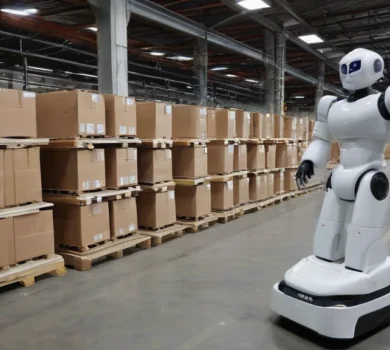
Teradyne Robotics and Sereact have implemented physical AI in Zalando's logistics centers.
At Zalando’s logistics centers in Greven and Świebodzin, collaborative robots working with the Sereact Cortex platform operate automatically.
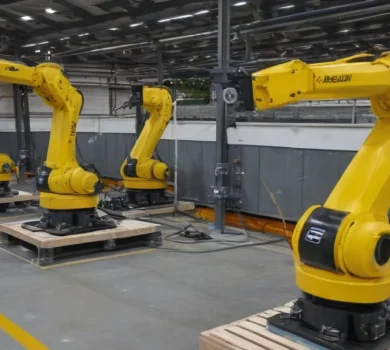
Complete traceability in production thanks to robots and system integration.
Atmus Filtration has implemented a modern robotic system for assembly and inspection, which ensures full product traceability.
AGCO tests humanoid robot in production in Hesston, Kansas
AGCO and Agility Robotics will launch a pilot program featuring the Digit® humanoid robot at their manufacturing facility in Hesston.
How does the new diffusion model change the approach to autonomous driving?
The new QualiDrive model introduces an innovative approach to trajectory generation in autonomous vehicle guidance - instead of
The fusion of drone and ground vehicle data improves the continuity of tracking autonomous vehicles.
A study conducted in a simulation showed that the combination of data from a drone (UAV) and a ground vehicle (UGV)